Posts

How To Make Nail Stickers With Cricut? [Step-By-Step Guide]

Did you know you can use your Cricut machine to create crazy, fun designs? I have had my Cricut machine for over 5 years but have never tried this for making nail stickers. But recently, I learned there are unlimited possibilities to create things with Cricut. So, I tried it too. I made stickers for my nails, and I am excited to share how I did it. So, if you want to try it, stay here and see how to make nail stickers with Cricut.  Nail stickers are pricey if you buy them online. Hence, if you own a Cricut machine, you can use it to make one yourself. We have a step-by-step guide for you on creating stickers and giving them the best look.  How To Make Nail Stickers With Cricut? Here’s how anyone can create stickers from scratch with Cricut. Tools Required Beforehand Here is the list of things you will need during the project:  Cutting machine Permanent adhesive-backed vinyl Weeding tools.  Transparent vinyl transfer tape A cutting mat Scissors  Tweezers or weedi...
How To Connect Letters In Cricut Design Space [Cursive Letters]

Image
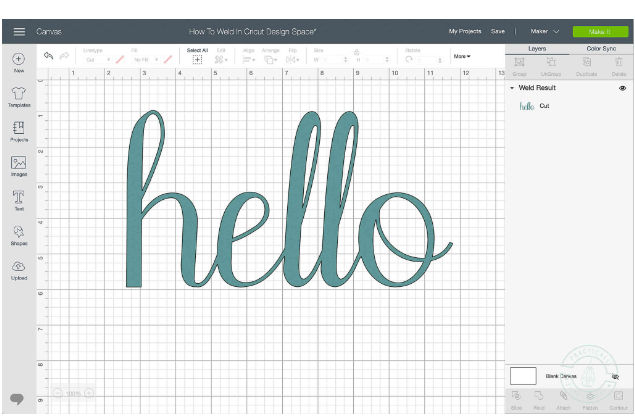
Whether you’re planning to design wedding invitations or a wooden sign, it is obvious to look for easy steps on how to connect letters in Cricut Design Space. I tried connecting cursive letters but failed! Luckily, here is a post for you. We will discuss simple tricks to connect letters (cursive) while using script fonts in the Cricut Design Space. You’ll also learn how to adjust the spacing between letters and weld the letters together correctly. Let’s proceed by opening the Design space to a new canvas first. And then, follow the step-by-step tutorial given below.  Cricut Design Space Update - May 2021 The new release: Cricut design space update has come with a font kerning process. The method of Kerning makes it easy and quick to work with Script fonts in the Cricut design space. You will find a lot of kerned fonts available in the Design Space, including Cricut fonts and system fonts. Please note you need not adjust the letter spacing manually; the process is entirely automati...

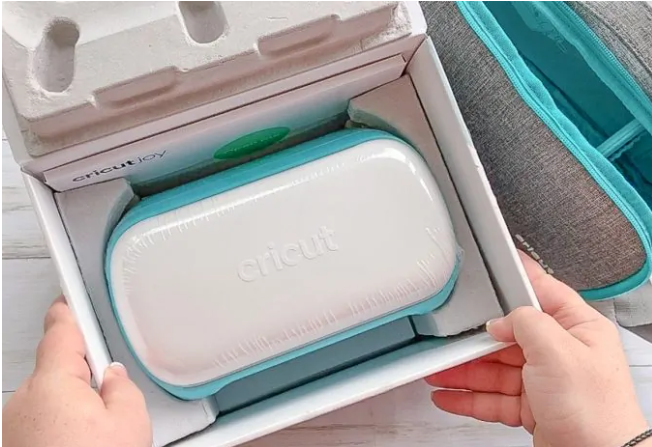
Cricut Joy 101: Step-by-step Buying Guide For Beginners.

Image
 If you’re already using Cricut machines, you would probably be familiar with different projects you can make with the Cricut machine. The Cricut Joy machine is just the right for supporting major varieties of material that can be cut by a blade. Here is a small list of project ideas you can try making with your Cricut joy machine: Lunch Notes Gift tags Stickers Outdoor signs  Party Decor Decorative Water Bottles Organization Labels Greeting Cards Customized Tote Bag Custom T-Shirts cricut.com/create How To Make Your First Project With Cricut Joy 101 [Customized Mugs] So here is a quick tutorial to make your first project with the Cricut Joy machine. If you’re not using smart materials, then you can use permanent vinyl with a mat specially created for the Cricut Joy machine.  Materials You Will Need To Make A Customized Mug     Cricut Joy Tools Set Smart Material Permanent Vinyl (Black) Transfer Tape  Mug  Cricut Desi...

Cricut Glitter Iron On Mesh Instructions [Tips And Tricks]

 Are you searching for the steps or instructions that help you to make a stunning glittery grid? If yes, you are at the right place. This blog will provide all the information related to the Cricut glitter Iron On Mesh instructions. All you need to do is just keep reading one by one; it’s all the sections. Cricut Glitter Mesh Iron On attaches a wonderful stunning grid effect to the tasks with this shimming and extraordinary heat transfer vinyl. Using it with the Strong Bond Guarantee works nicely with the huge variety of the base items, such as wood. Below are the instructions, tips & tricks to do this very simply. So, without wasting time, let’s jump to the next section one by one which provides the complete information. Easy Steps for Cutting Cricut Iron On Glitter Mesh Cutting the Glitter Mesh with the Cricut Iron On is also an essential part of the project. You have to know all the essential instructions and steps. This blog section helps you simply learn how to cut Cricut ...

How To Troubleshoot The Cricut Design Space Error On iOS & Mac

Are you troubled with the Cricut Design Space error? Many Cricut users face issues while doing their projects for some reason. Some of them lose their project in the middle of the project completion. This blog will teach you how to eliminate these errors by following a few simple steps. If you are also one of them who loses their project because of these errors or facing such errors on your iOS and Mac devices, then read the complete blog. So, without further delay, let’s get straight to solving these errors. Cricut Design Space Error and its Solution (iOS) Various types of Cricut Design Space error come on your iOS device and affect the project. Here are some errors and their solutions. If you have any of them on your device, follow the given below steps to fix them: Machine Communication Error If you face this error message on your iOS device, you need to follow these steps as it is mentioned: First of all, you need to save your project. Exit the Cricut Design Space app. Now, go to t...

What Are Cricut Infusible Ink Transfer Sheets, And How To Use Them?

These are paper-like products containing infusible ink designed to work with the Cricut machine. You must load these sheets on your Cricut machine like other materials, and the machine will cut out the design. Also, while pressing the transfer sheets with a heat press, the ink transfers directly onto your project from the transfer sheet. You can choose between the solid and printed variety of  Cricut infusible ink transfer sheets . Now, you have many choices in making your project’s design. There are a few things about infusible ink transfer sheets: You can cut the infusible ink transfer sheets by all Cricut machines. The transfer sheets hold ink only on one side that activates by heat. The heating process shows the colors. Hence, it doesn’t ruin your work at all. The transfer sheet has a non-sticky paper which you can easily move on the blank. The transfer sheets are faded when you take them out of the box. How Are Infusible Ink Transfer Sheets Different From Iron-On Vinyl? The tr...

A Beginner's Guide To Cricut Explore 3

Image
  The Explore series cutting machines is the best-selling range of machines from the Cricut family. And with the newest addition to the product lineup, the   Cricut Explore 3 , your crafting experience is all set to be bigger, better, and bolder. The  Cricut Explore 3 cutting machine  is a smarter and faster machine ever that combines the power of a professional cutting and crafting machine with the simplicity of Cricut. So, if you are a beginner that is looking for an ultimate  guide to Cricut Explore 3 . Or are you a first-time Cricut buyer, and you are trying to find all the right reasons to get yourself a  Cricut Explore 3 , then keep reading this blog to find every important information and much more. Overview Of Cricut Explore 3 Cricut Explore 3 machine  is a DIY cutting machine that is compatible with Cricut Smart materials making matless cutting possible for the first time. The dimensions of this cutting machine are 62.2 cms X 25.4 cms X 26 cms...